AI Book Cover Design: What Actually Works (and What Doesn't)
March 27, 2026
AI-generated cover design has moved fast. A year ago it was a curiosity — outputs that looked impressive until you zoomed in. Today, it's a legitimate part of many indie authors' workflows, producing covers that compete visually with traditionally designed work.
But the hype hasn't caught up to the reality of how it actually works in practice. The tool is genuinely useful. It's also genuinely limited. Understanding both is what separates authors who get great results from authors who try it once, get something mediocre, and write it off.
Here's an honest assessment of where AI cover generation earns its place — and where it doesn't.
Where AI Genuinely Excels
Concept exploration at speed
The single biggest advantage of AI generation is how fast you can explore directions. In the time it takes a designer to sketch one concept, you can generate ten fully rendered options and immediately see which visual direction feels right for your book.
This matters more than it sounds. Most authors have a vague mental image of what their cover should look like. That image is rarely precise enough to brief a designer effectively, which is why the first round from any design engagement often feels wrong. With AI generation, you externalize those ideas quickly, see what resonates, and use that to sharpen your direction — whether you keep working in AI or move to a designer with much clearer creative brief.
Iteration without cost anxiety
With a traditional designer, every revision request has weight. Each "can you try it with a darker palette" costs time, and time costs money. You ration your feedback. You settle on "close enough" rather than pushing for "exactly right."
AI generation removes that friction entirely. You can iterate aggressively — adjust a mood attribute, try different style directions, push the description further — without worrying about burning through designer hours. That freedom changes how you engage with the creative process.
Cost efficiency for realistic budgets
A professional book cover from an experienced designer runs $200–500 for a competent result. A cover that's genuinely strong for a competitive genre can easily cost more. That's real money for most self-publishing authors, especially early in a publishing career or for authors with large catalogs.
AI generation brings that cost down by an order of magnitude. A few credits to generate, iterate, and finalize. For authors publishing regularly or building a series, the economics are not close.
Series consistency
Maintaining consistent visual identity across a series is hard with traditional design — you're hoping the same designer is available, has kept their style consistent, and reproduces the same feel with each new cover. AI generation with consistent attribute settings produces visually coherent results across a series naturally. Same mood, same art style, same palette. Series cohesion becomes a workflow default rather than a coordination challenge.
Where AI Struggles
This is the part most tools don't tell you clearly enough.
Very specific compositions
If you have a precise scene in mind — a woman standing at a window in the rain, shot from behind, with a red umbrella and a city reflected in the glass — AI will interpret your description loosely. You'll get something in that territory. Whether it's exactly that scene is another matter.
AI image generation doesn't take instructions the way a human illustrator does. It generates something plausible, not something precise. The more specific your compositional requirements, the more likely you are to get close-but-not-quite outputs. This is fine for concept exploration. It becomes frustrating when you're locked into a very specific visual idea.
The practical workaround: let the AI lead on composition. Describe the mood, style, subject matter, and emotional feel — not the exact blocking of every element. Then curate from what it generates rather than trying to force a predetermined image.
Hands, faces, and fine details
This is a known limitation across all AI image models, not just the ones used for cover generation. Photorealistic hands in particular remain a tell. The models have gotten better — genuinely better than a year ago — but you'll still notice odd finger counts and awkward joints if you're looking closely.
For cover design, this is less catastrophic than it sounds. Most strong covers don't put hands or faces at the center of the image. Atmospheric scenes, symbolic objects, landscapes, and silhouettes all work beautifully and sidestep the problem entirely. Where it does matter is close-up romance covers with realistic figures — that's the use case where AI outputs are most likely to need human retouching.
Exact text rendering
AI models cannot reliably render specific text. Ask them to put your title on the cover, and you'll get something that looks like your title from a distance. Look closer and it'll have extra letters, wrong letterforms, or text that's subtly unreadable.
This isn't a limitation of any particular tool — it's a fundamental characteristic of how current image generation models work. They don't "understand" text as discrete characters; they pattern-match what text-in-images tends to look like.
The solution is straightforward, and we'll cover it properly below.
The Key Insight: AI as Creative Partner
The framing matters here. AI cover generation is not a one-click solution where you describe your book and receive a finished, print-ready cover. Authors who approach it that way are often disappointed.
The right framing is this: AI is a fast, tireless creative collaborator that needs direction.
Think of it like having an artist who works at extraordinary speed but needs specific art direction to produce their best work. Left alone with a vague brief, they'll produce something technically competent but probably not exactly what you wanted. Given clear creative direction — specific mood, defined aesthetic, structured choices about style and palette — they produce excellent work.
The workflow that gets professional results looks like this: clear inputs → multiple generations → human curation → manual typography → final polish. That's four steps, not one. AI handles the first two well. Humans handle the last two. The combination produces results neither could achieve alone.
How to Get Better Results
Be specific, but in the right ways
More words in your description don't automatically produce better results. What matters is the right kind of specificity. "A dark fantasy cover with a shadowed castle, stormy sky, and a glowing golden sword in the foreground" is more useful than a paragraph that describes the plot.
Describe visual elements. Describe the emotional register. Describe the atmosphere. Don't describe the story.
Use structured attributes over free-text prompts
Open-ended text prompts leave a lot of interpretive room. Structured attributes — Genre, Mood, Art Style, Color Palette — constrain the generation toward genre-appropriate territory more reliably. A genre selection of "Fantasy" with a mood of "Dark & Ominous" and an art style of "Digital Painting" already tells the model more than a paragraph of description would, and it tells the right things.
Think of structured attributes as narrowing the space of plausible outputs toward the space that actually works for your genre. The genre trends breakdown goes deep on what visual signals work for each major category — those insights map directly to attribute choices.
Iterate in tiers
Generation costs differ by quality tier, and the right strategy is to use that to your advantage.
Start with Quick (3 credits, available on all plans) for rapid exploration. Quick generates fast at lower resolution — not export-ready, but good enough to evaluate visual directions. Use Quick to test multiple attribute combinations and figure out which direction resonates before committing to higher-quality generations.
Once you've identified a direction worth developing, move to Detailed (5 credits, requires Starter plan). Detailed generates at full 4K resolution and crops to KDP dimensions — production-ready output. Use this for final candidates.
Premium (10 credits, requires Starter plan) uses a more capable model and is worth the cost when quality matters most — front-list titles, series anchors, or any cover that will get significant promotional spend.
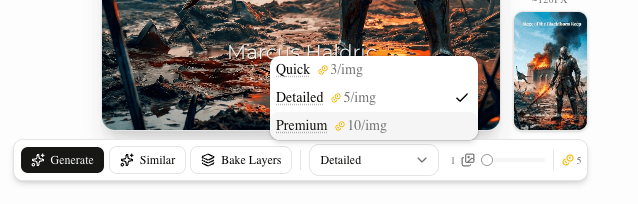
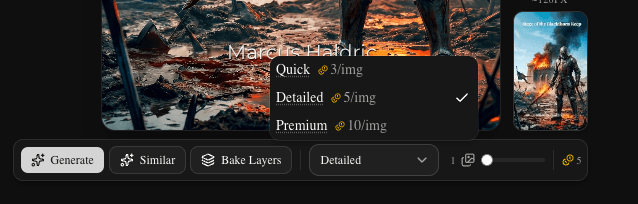
The tiered approach means you spend Quick credits freely on exploration and reserve Detailed and Premium for the covers that actually make it to production. Eight Quick generations and two Detailed generations costs 34 credits — less than a cup of coffee, and you've fully explored a direction.
The Text Problem — and How to Solve It
This is worth addressing directly because it's the most common frustration people run into.
Do not ask the AI to render your title on the cover. It will not work reliably. You will get approximate letterforms, wrong characters, and text that looks fine as a thumbnail and falls apart on closer inspection. This is true across all current AI image generation tools, not just BookClad.
The professional approach has two options:
Option 1: Generate without text, add typography separately. Generate your cover art as a pure image — no title, no author name. Then add your typography in the canvas editor using real fonts. This is the cleanest approach and gives you full control over typeface, size, position, color, and hierarchy. The typography guide for AI covers covers how to match font choices to genre signals and how to place text to KDP safe-zone standards.
Option 2: Bake layers. Once you've added your title text in the canvas editor, the Bake Layers feature sends a flattened version of your canvas — image plus text — back to the AI, asking it to integrate the text into the artwork with genre-appropriate effects. It can emboss the title into stone for fantasy, add neon glow for sci-fi, or blend soft-focus effects for romance.
The result is a cover where the text feels like it belongs to the image rather than sitting on top of it. Bake layers is specifically useful for genre aesthetics where the title treatment is part of the visual identity — fantasy and sci-fi especially.
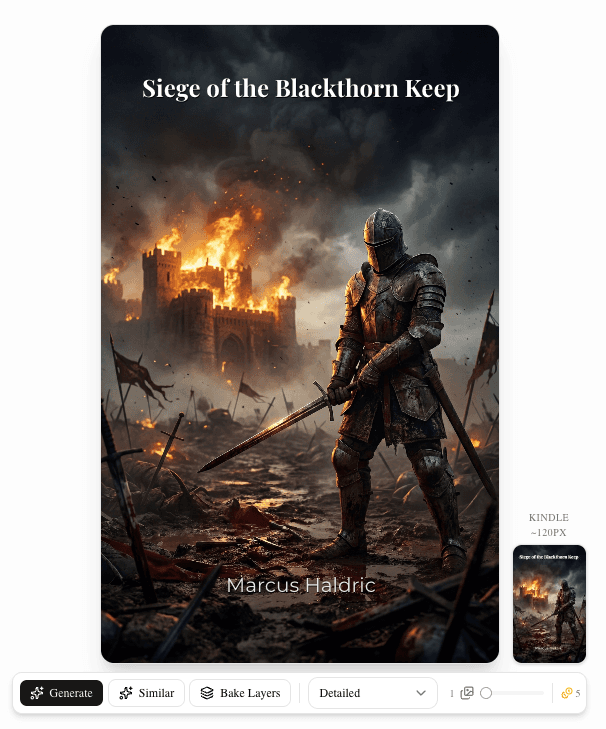
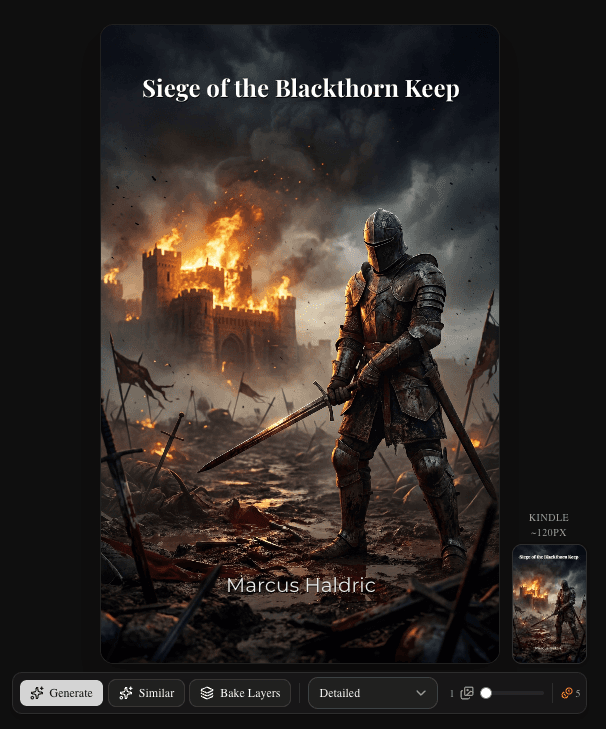
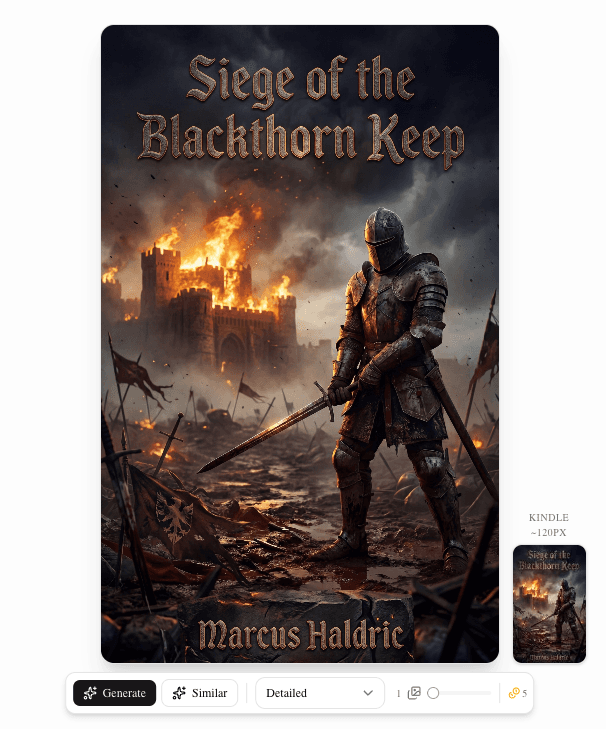
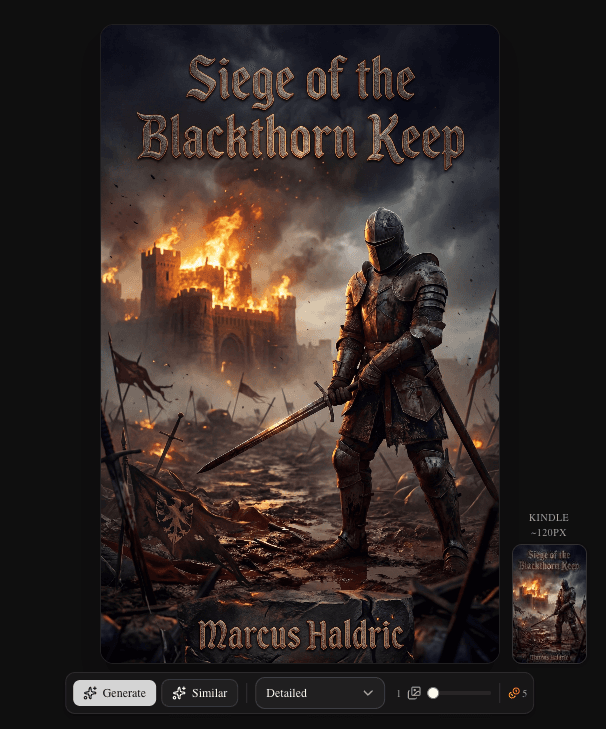
Both approaches avoid the core problem: never rely on the AI to render exact text itself.
How BookClad's Workflow Addresses This
The limitations above aren't bugs — they're characteristics of the underlying technology. What a good tool does is build a workflow that accounts for them.
The attribute system replaces vague free-text prompts with structured creative direction. Instead of typing a paragraph and hoping the model interprets it correctly, you select Genre, Mood, Art Style, Visual Elements, and Color Palette from curated options designed around how cover design actually works. The model gets cleaner inputs; you get more predictable outputs.
Three model tiers mean you can use Quick for cheap iteration and only spend Detailed or Premium credits on work you intend to use. This changes how freely you explore — which is where AI generation actually adds value.
The canvas editor handles typography with real fonts, giving you full control over the elements AI can't render reliably. KDP safe zones are baked in; what you see in the editor is what you get in the export.
Bake layers bridges the gap between AI-generated artwork and professional text integration when you want the two to be visually unified.
The tool doesn't pretend AI can do everything. It's designed around what AI does well and provides proper tools for the parts it doesn't.
The Honest Summary
AI cover design works. It genuinely produces professional-quality results that compete with traditionally designed work — at a fraction of the cost and time.
It's also not magic. Specific compositions don't always land. Photorealistic faces and hands require care. Text rendering requires a separate workflow.
The authors who get the best results understand both sides. They use AI for what it's good at: fast iteration, style exploration, cost-efficient production. They handle the rest — typography, curation, final polish — with appropriate tools and their own judgment.
That combination is what makes the difference between a cover that looks AI-generated and one that looks like a cover.
Ready to try it? BookClad's Quick tier is available on all plans, including free. Three credits gets you a full generation to see how the workflow feels before committing to anything.