5 Book Cover Mistakes That Kill Sales (and How to Fix Them)
March 27, 2026
Your cover is your book's first impression — and on Amazon, it's often the only impression you get to make. Before a reader ever reaches your blurb, your title, your reviews, or your price, they've already made a snap judgment based on the image in the thumbnail.
Most cover mistakes aren't obvious to the author. The cover looks fine at full size on a desktop monitor. The problem appears when it's 150 pixels wide in a "Customers Also Bought" row at 11pm on a phone screen, sitting next to a dozen professionally produced alternatives. That's the real test, and these five mistakes are the most common reasons self-published books fail it.
Mistake 1: Wrong Genre Signals
This is the most expensive mistake on the list, and it's the hardest to spot from the inside.
Every genre has a visual vocabulary — a set of colors, typographic styles, and image types that readers have unconsciously absorbed from thousands of covers. When they see a warm blush palette with a script font, they know it's romance. When they see deep jewel tones and ornate lettering, they know it's fantasy. When they see a stark black background with isolated bold sans-serif text, they know it's a thriller. This pattern recognition happens in under a second, below conscious thought.
A soft watercolor illustration on a hard-boiled crime thriller sends the wrong signal. So does a clean, minimal geometric design on a fantasy novel. The reader thinks "that's not for me" and scrolls on — even if the book itself is exactly what they were looking for.
The fix: Before designing anything, spend time studying the top 20 bestsellers in your specific sub-genre. Not your genre — your sub-genre. Cozy mystery and psychological thriller have completely different visual languages. Dark romance and cozy romance look nothing alike. Look at colors, font styles, imagery type, and how busy or restrained the designs are. Your cover should feel like it belongs on that shelf. Not identical — but fluent. A full breakdown of what's working by genre in 2026 is a useful starting point.
If you're generating covers with AI, use genre-specific attribute selections. Picking the right genre, mood, and art style combination does more for you than any amount of tweaking individual visual elements.
Mistake 2: Illegible at Thumbnail Size
You've spent hours tweaking your cover at full resolution on a 27-inch monitor. The title is beautifully set, the typography is refined, the whole thing looks gorgeous at 1600 × 2560.
Then you look at it at 300 pixels wide — approximately the size Amazon shows it in search results — and the title is a grey smear.
This is one of the most common problems with self-published covers. Readers often first encounter your book as a small thumbnail in a search result, a recommendations carousel, or a "Top Picks" section. If your title isn't clearly readable at that size, many readers won't even know what the book is called before they've moved on.
The fix: Design for the thumbnail first. After every significant change to your cover, resize the preview to around 300 pixels wide and look at it from arm's length. Ask yourself: Can I read the title? Does the main image read as a clear, recognizable shape, or does it become visual noise?
To pass the thumbnail test, your title needs high contrast against the background — dark text on light, or light text on dark, with no ambiguity. Bold, clean fonts hold up at small sizes; thin, decorative letterforms disappear. One strong focal image reads better than a collection of small detailed elements. If the cover has too much happening, none of it will communicate at thumbnail scale.
Mistake 3: Amateur Typography
Typography is where most self-published covers immediately reveal themselves. It's subtle, but readers notice — even if they can't articulate what's wrong. The sensation is "this looks cheap" without knowing exactly why.
The most common typography mistakes:
- More than two fonts. Once you go past two typefaces on a cover, it stops looking designed and starts looking assembled. One font for the title, one for the author name — that's the ceiling, not the floor.
- Default system fonts. Arial, Times New Roman, and Helvetica on a book cover signal a Word document, not a published work. Readers may not name the fonts, but they recognize the aesthetic.
- No letter-spacing. Title text at large sizes almost always needs some extra space between letters. Tight tracking at display sizes looks cramped and hurried. Generous letter-spacing on an all-caps title gives it weight and authority.
- Text fighting the background. Placing dark text over a busy, variable-contrast image without any treatment is the fastest way to make a cover look unfinished. A subtle drop shadow, a translucent bar behind the title, or a clean section of the image with sufficient contrast — any of these works, but you need one.
The fix: Maximum two fonts. Choose them based on your genre — serif for literary and historical fiction, bold condensed sans-serif for thriller and crime, script or handwritten for romance, ornate display serif for fantasy. Letter-spacing should be generous, especially on all-caps title treatments. And always, always check contrast. The full guide to book cover typography covers font pairing, genre-appropriate choices, and how to handle text on complex backgrounds.
Mistake 4: Wrong Dimensions or Low Resolution
Amazon has specific technical requirements for ebook covers, and getting them wrong produces results that range from subtle softness to outright upload rejection.
The typical scenario: an author designs a cover in a web-focused tool at 72 DPI, exports it, realizes it needs to be bigger, and scales it up. What they get is an upscaled image — the same pixel data stretched to fill a larger frame. Text edges look soft. Fine details get muddy. Gradients develop banding. It's not always dramatic on a monitor, but Amazon's processing pipeline runs your cover through multiple resizing operations to generate thumbnails at various sizes, and low-resolution source material degrades at every step.
The other common issue is aspect ratio. Many design templates labeled "book cover" use a 2:3 ratio rather than the 5:8 ratio Amazon requires. That difference seems small — both are portrait orientation — but when Amazon fits your image into their display frame, a 2:3 design gets either letterboxed with white bars or cropped, potentially cutting off your title or author name.
The fix: Always work at 1600 × 2560 pixels from the start. Don't begin with a smaller canvas and upscale at the end. The resolution has to be present in the original image, not manufactured by a resize operation. Make sure your canvas is set to 300 DPI before you start, and export as JPEG in RGB color space. The complete technical requirements — and why each spec matters — are covered in the KDP cover specifications guide for 2026.
Mistake 5: Cluttered Composition
The instinct when designing a cover is often additive: add an element for the setting, add one for the theme, add the main character, add a symbolic object, add a tagline. By the end, the cover is a collage of everything the book contains — and it communicates nothing.
Readers look at a cover for roughly half a second before deciding whether to slow down or keep scrolling. That's not enough time to process multiple competing focal points. When everything is fighting for attention, the eye doesn't know where to land, the thumbnail becomes visual noise, and the reader moves on.
The fix: Every cover needs one focal point. One. Everything else on the cover exists to support and frame that single element, not to compete with it.
Once you've identified your focal point, apply a simple visual hierarchy: title first, then imagery, then author name. The title is almost always the most important text element — it should be the largest, highest contrast text on the cover. Author name is secondary and can be significantly smaller without hurting anything (unless you're already a known name, in which case it earns its prominence).
Learn to use whitespace. Empty space isn't wasted space — it's breathing room that directs attention toward what matters. The thriller genre, in particular, uses vast areas of negative space deliberately to create tension through absence. A single figure in a large dark background is more unsettling than a detailed city scene full of elements.
Before finalizing any cover, ask: If I could only keep one thing, what would it be? That's your focal point. Then ask whether every other element is helping that focal point or competing with it.
Bringing It Together
These five mistakes share a common thread: they each make it harder for the right reader to recognize your book as something they want.
Genre mismatch sends them to a different shelf. Illegible thumbnails mean they never notice you. Amateur typography signals low investment. Wrong dimensions undermine production quality. Cluttered composition fails to communicate anything in the half-second you have.
The good news is that all five are fixable, and fixing them doesn't require expensive software or a graphic design degree. It requires knowing what to look for — which you now do.
If you're using BookClad to generate covers, the genre-aware attribute system directly addresses the genre mismatch problem. Selecting your sub-genre, mood, and art style tells the AI exactly what visual vocabulary to work in. The KDP-compliant export handles dimensions and resolution automatically. The canvas editor gives you full typography control — font selection, letter spacing, and placement — so text treatment is in your hands, not left to chance.
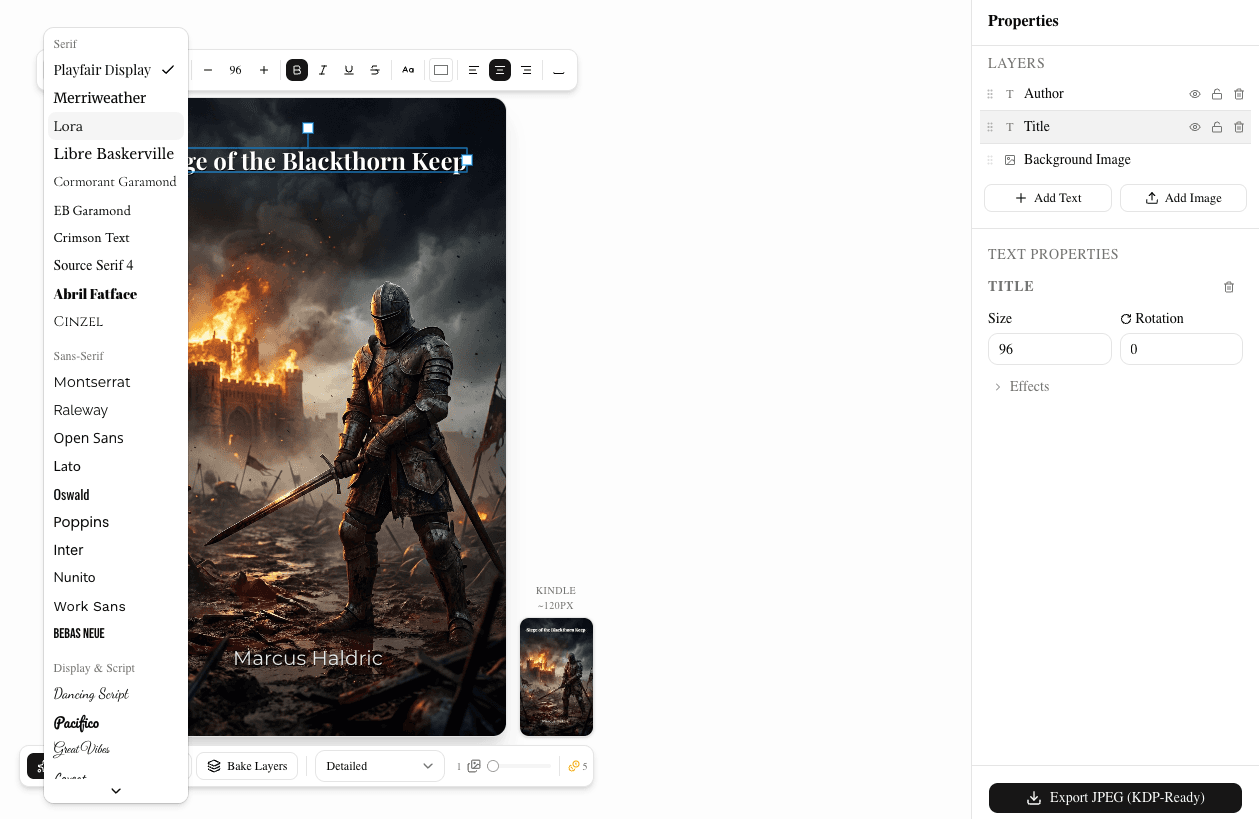
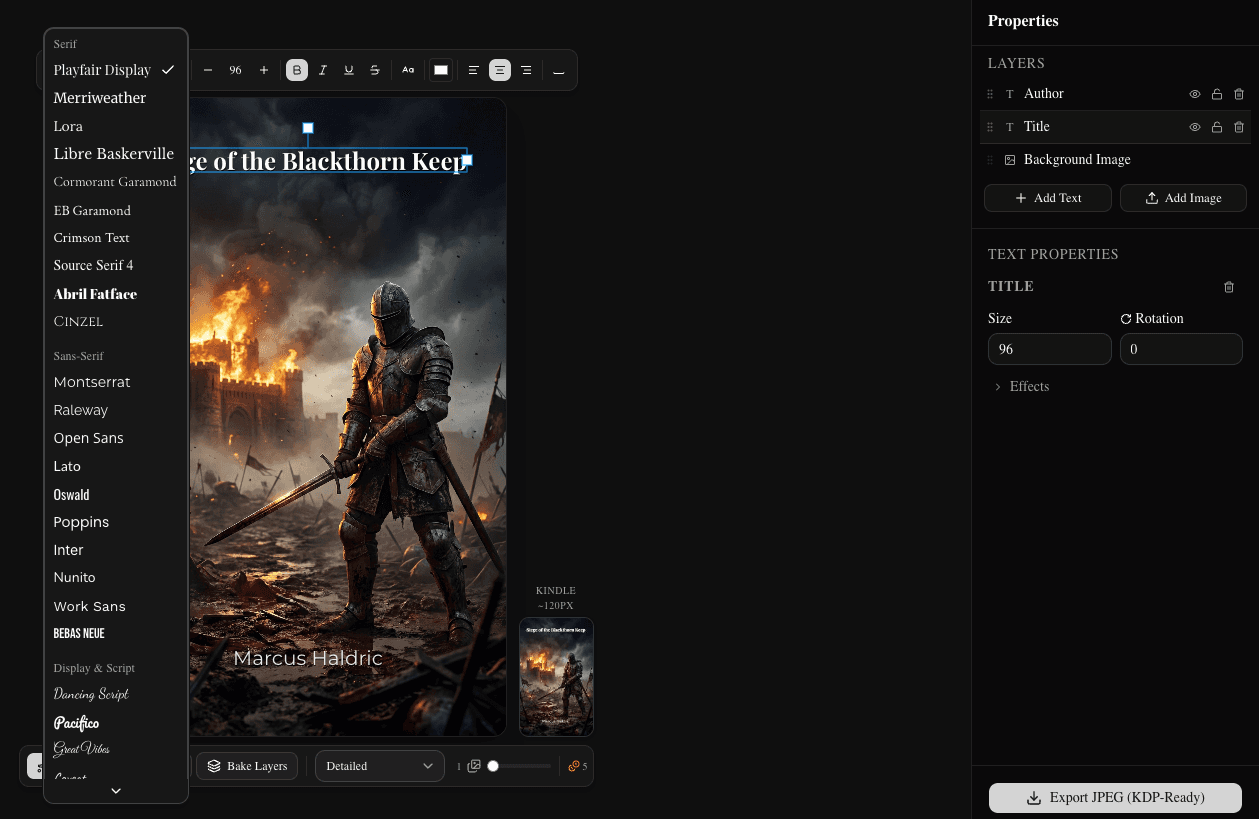
The remaining work — identifying your focal point, checking thumbnail legibility, keeping the composition clean — is judgment, and it gets easier with practice. Study the bestsellers in your sub-genre. Test every version at thumbnail size. When in doubt, remove rather than add.
Your cover won't make readers buy a bad book — but a bad cover will stop readers from ever giving a good one a chance.